
Can You Fix a Hayati Pro Ultra Dead Battery? Safe Troubleshooting Guide
If you are looking to fix a Hayati Pro
Ultra dead battery, the solution depends on what you mean by dead. The Hayati
Pro Ultra is a high-capacity vape with an 850mAh rechargeable battery, twin
e-liquid tanks, and a 15,000-puff capacity. This vape can stop working due to a
depleted battery, charging mechanism failure, or end-of-life battery condition.
A dead battery can often be revived if it has simply run out of power, but a
physically damaged battery should not be attempted for home repair.
Hayati Pro Ultra Device Battery Overview
The Hayati Pro Ultra battery has a listed
capacity of 850mAh and is rechargeable via a Type-C charging mechanism. This
means it should be possible to revive the battery during the device’s lifespan,
rather than replacing it after a single charge.
There is an important distinction between a
dead battery and a depleted (drained) battery:
• A depleted battery has simply reached the
end of its power capacity. It may be possible to restore power by connecting
the vape to a working power source with an appropriate cable.
• A dead battery has reached the end of its
functional life. For safety reasons, it is not advisable to attempt any DIY
battery repair if the cell is unresponsive to power.
Procedure for Fixing a Hayati Pro Ultra Dead Battery
If your Hayati Pro Ultra dead battery issue
has developed suddenly, try the following general troubleshooting tips:
• Try a different cable – a faulty or
physically damaged cable can prevent the vape from charging
• Try a different power source – ensure you
are using a safe, undamaged USB charging source
• Ensure the charging port is not blocked –
remove any visible lint or debris from the charging port
• Check the charging cable connection –
ensure the Type-C connector is fully engaged
• Look for charging indicators – check if
the vape has a charging light that indicates a charging session has started
• Allow sufficient time for the battery to
charge – some devices will not power on with a very low battery
• Stop if the device feels hot – if the
vape begins to overheat, stop trying to charge it and allow it to cool down
If you are looking for information on how
to charge Hayati Pro Ultra, the safest method is to use a Type-C charging cable
and a standard, compatible USB power source. Avoid using non-standard or
damaged charging accessories.
Interpreting Hayati Pro Ultra Blinking Light Codes
The meaning of a blinking light on the
Hayati Pro Ultra depends on the specific model, but it is generally an
indicator of either a low power condition or a fault. A blinking light is not
necessarily a sign that the battery can be revived by charging.
Hayati Pro Ultra Dead Battery Repair Safety Considerations
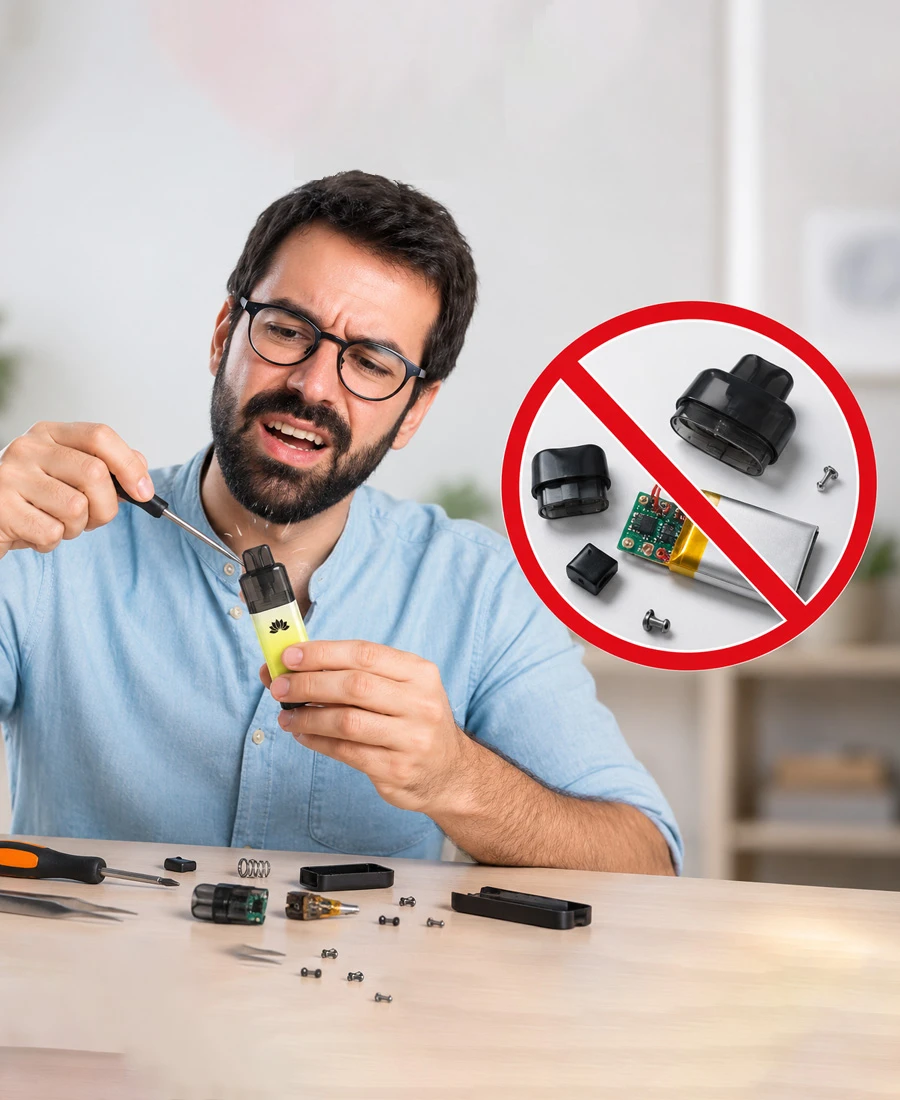
It is extremely dangerous to attempt any
form of DIY battery repair on a vape. Under no circumstances should you attempt
to open, puncture, or modify the Hayati Pro Ultra battery. Lithium-ion
batteries contain a large amount of energy within a small physical footprint
and can easily catch fire if mishandled. Puncturing or modifying the battery
will cause it to overheat and catch fire. In addition, a compromised battery
may release toxic gases that can damage the lungs.
Modifying a Hayati Pro Ultra battery will
also likely damage the safety features built into the vape. These safety
mechanisms are necessary when using high-capacity lithium-ion batteries, and
removing them compromises the overall safety of the device.
The dangers associated with Hayati Pro
Ultra battery repair include:
• Fire or explosion – short-circuiting a
lithium-ion battery can cause it to overheat and combust
• Toxic gas exposure – fire, penetration,
or impact can cause a lithium battery to release highly toxic gases
• Electrical shock hazard – modifying the
battery can create an electrical current pathway
• Thermal runaway – improper charging can
cause the battery to enter a condition where it cannot regulate its temperature
• Cell rupture – physical damage and
penetration can permanently damage the battery’s physical structure
There are no safe methods of repairing a
Hayati Pro Ultra disposable vape, and opening the device will almost certainly
destroy the battery’s internal safety mechanisms.
Indicators That a Hayati Pro Ultra Battery Is Beyond Repair
You may want to consider replacing the
Hayati Pro Ultra battery if it exhibits any of the following symptoms:
• The device will not power on after
attempting to charge it with a good cable and power source
• The charging LED indicator light flickers
or pulses repeatedly while attempting to charge
• The battery will not hold a charge or
maintain power for an extended period.
• The battery has suffered physical damage
or abuse
• The e-liquid within the vape is depleted,
even if the battery is still in good condition
• The number of available puffs has expired
on the device
Keep in mind that a depleted or dried-out
vape tank cannot be repaired by restoring the battery power. In addition, a
burned-out vape coil cannot be repaired and must be replaced.
General Battery Safety and Disposal Precautions
If you have read this guide on how to fix
Hayati Pro Ultra dead battery and you are unsure of the exact cause of the
issue, start with the most basic and non-invasive methods of charging the
device. If none of those options appear to be working, stop and consider the
possibility that the battery may be unsafe to use. If the Hayati Pro Ultra
battery is physically damaged, bloated, hot to the touch, or emits a strong
chemical odor, stop attempting to charge it and recycle the device.
When in doubt, it is better to be safe than
sorry. If you are experiencing any of the following conditions with your Hayati
Pro Ultra, stop using the device and dispose of it in a safe, environmentally
responsible manner.